
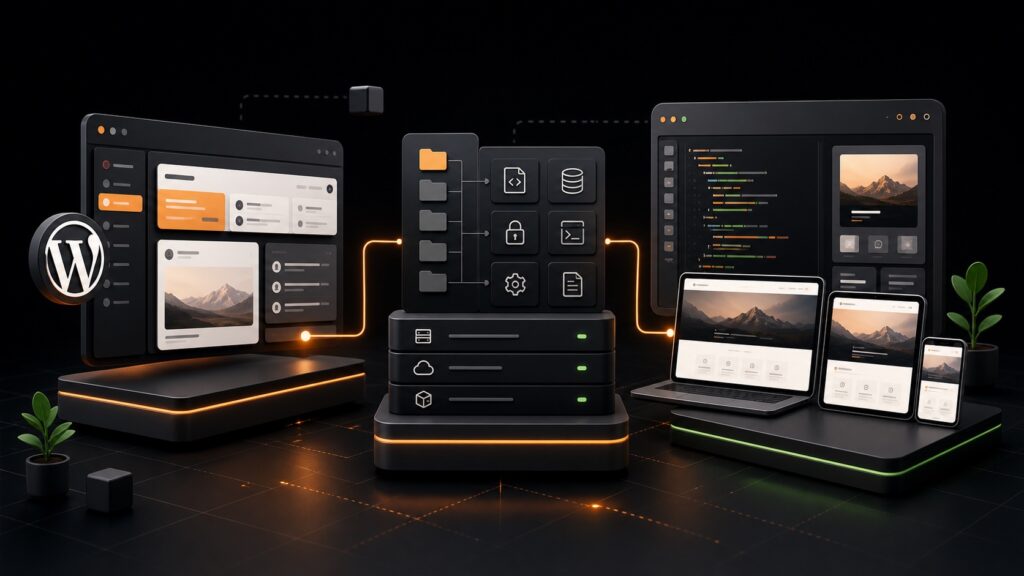
Traditional WordPress development is approachable: install WordPress, choose a theme, add plugins, and start building. That simplicity is one of WordPress’s greatest strengths. But as projects grow, agencies often need more predictable deployments, cleaner dependency management, reusable development standards, and a theme workflow that feels closer to modern application development.
The WordPress + Bedrock + Sage stack addresses those needs without replacing WordPress. WordPress remains the CMS. Bedrock reorganizes and manages the project. Sage modernizes theme development. Used together, they can make complex WordPress projects easier to maintain—but they also introduce tooling and hosting requirements that are unnecessary for many smaller sites.
What Is WordPress in This Stack?
WordPress remains the content management system and application foundation. Editors still use the familiar WordPress dashboard to create pages, publish posts, manage media, configure plugins, and maintain users. The public website still benefits from WordPress features such as the REST API, custom post types, taxonomies, block editing, and the enormous plugin ecosystem.
The important distinction is that Bedrock and Sage do not replace WordPress. They change how developers organize, configure, build, and deploy it.
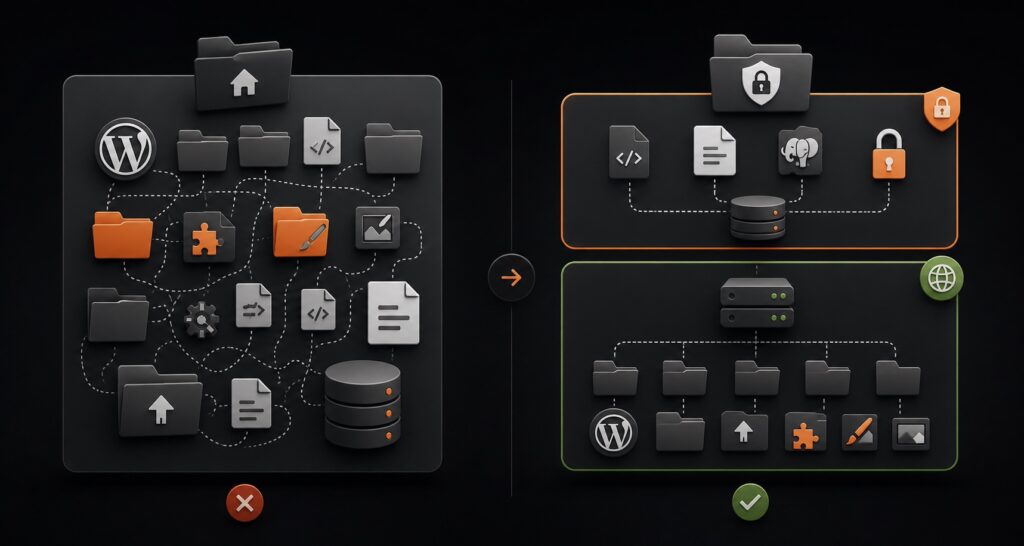
In a traditional project, WordPress core, plugins, themes, uploads, and configuration often live together inside one web-accessible directory. Developers may install plugins through wp-admin and move changes manually between environments. This can work well for small teams, but it becomes difficult to reproduce reliably when several developers, staging environments, and deployments are involved.
What Is Bedrock?
Bedrock is a WordPress project structure created by Roots. It treats a WordPress website more like a modern application, with dependencies, configuration, and environment-specific values managed intentionally.
A Cleaner Project Structure
Bedrock places the public web root inside a dedicated web directory. WordPress core is installed in web/wp, while themes, plugins, and uploads live in web/app. Sensitive configuration files remain outside the publicly accessible directory.
Composer Dependency Management
Bedrock uses Composer to manage WordPress core, plugins, themes, and PHP packages. Instead of relying only on manual plugin installations, the project records dependencies in composer.json and locks their exact versions in composer.lock.
For example, a developer can add a public plugin with Composer:
composer require wpackagist-plugin/query-monitorThis makes the project easier to reproduce. A new developer or deployment server can install the same dependency versions by running:
composer installPrivate or premium plugins may require private repositories, authentication, or a deployment process that copies licensed packages securely.
Environment Variables
Bedrock uses environment variables for values that change between local, staging, and production environments. Database credentials, site URLs, salts, API keys, and environment names can live in an uncommitted .env file or a hosting platform’s environment-variable settings.
DB_NAME='example_project'
DB_USER='example_user'
DB_PASSWORD='secure-password'
WP_ENV='development'
WP_HOME='https://example.test'
WP_SITEURL="${WP_HOME}/wp"
This approach avoids committing secrets to Git and reduces the need to edit configuration files for each environment.
Deployment Benefits
Because dependencies and configuration are clearly defined, Bedrock works well with Git-based and automated deployments. A deployment can pull the approved code, install Composer dependencies, build theme assets, and release the result consistently.
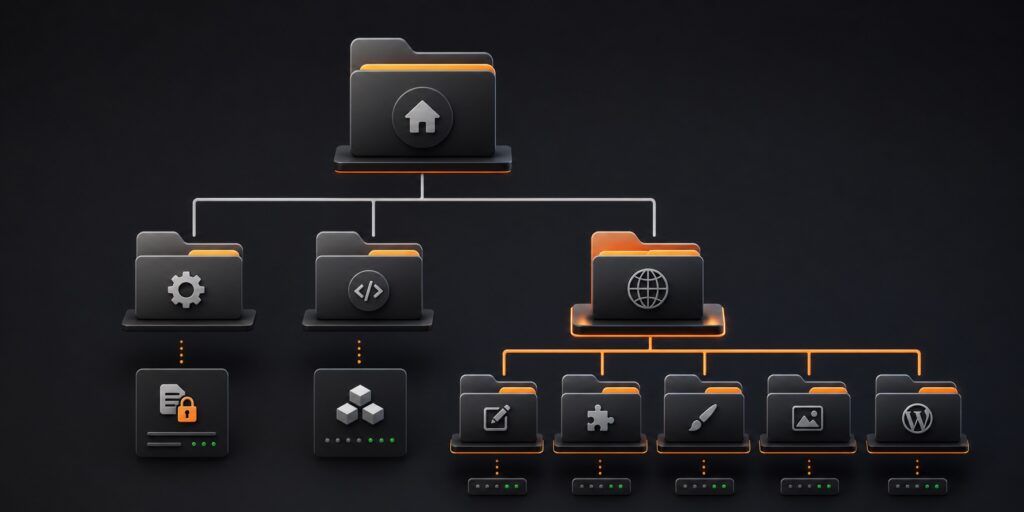
Example Bedrock Directory
example-project/
├── config/
│   ├── application.php
│   └── environments/
├── vendor/
├── web/
│   ├── app/
│   │   ├── mu-plugins/
│   │   ├── plugins/
│   │   ├── themes/
│   │   └── uploads/
│   ├── wp/
│   └── index.php
├── .env
├── composer.json
└── composer.lock
What Is Sage?
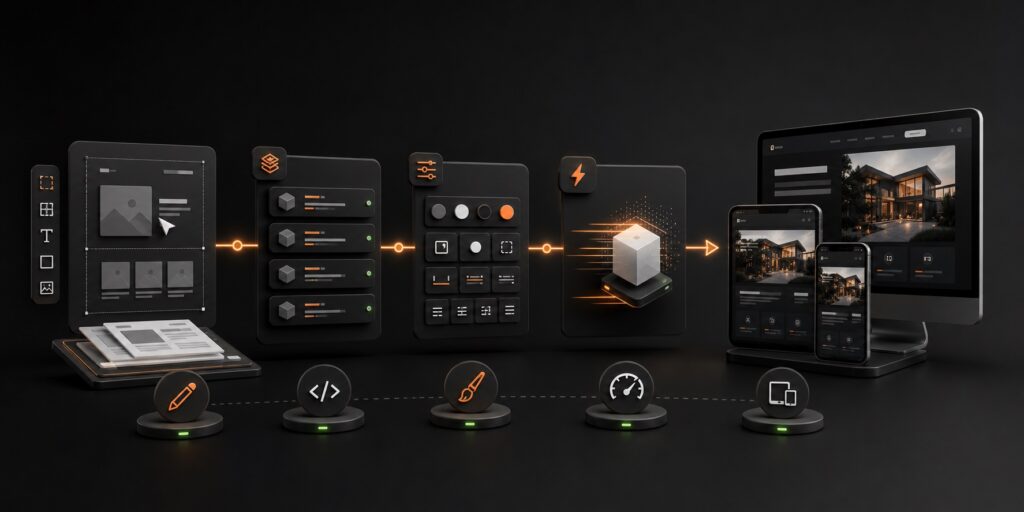
Sage is a modern WordPress starter theme from Roots. It gives theme developers a structured workflow built around Blade templates, Acorn, Vite, and modern front-end tooling. Tailwind CSS is commonly included, and React or other JavaScript libraries can be added where they provide genuine value.
Blade Templates
Traditional WordPress themes mix PHP logic and HTML in template files. Sage uses Laravel’s Blade templating syntax, which can make templates more readable and reusable.
<article @php(post_class())>
  <h1>{{ $title }}</h1>
  @if ($excerpt)
    <p>{{ $excerpt }}</p>
  @endif
</article>
Blade supports layouts, reusable partials, components, conditions, and loops. The result is still rendered by WordPress on the server.
Acorn
Acorn brings selected Laravel-style capabilities into WordPress. It powers features such as Blade rendering, service providers, dependency injection, console commands, and organized application logic. Teams can use these tools to keep complex theme behavior more maintainable than a large collection of functions in functions.php.
Vite and Modern Assets
Sage uses Vite to process stylesheets, JavaScript, images, and other front-end assets. During development, Vite provides a fast feedback loop. For production, it creates optimized, versioned assets.
npm run dev
npm run build
This workflow supports JavaScript modules, PostCSS, modern CSS, code splitting, and other front-end practices familiar to developers coming from modern frameworks.
Tailwind CSS and Optional React Components
Tailwind CSS can help teams build consistent interfaces quickly using utility classes and a shared design system. It is not mandatory: teams can configure Sage around their preferred CSS approach.
React can also be added for interactive parts of a website, such as a product configurator, searchable directory, pricing calculator, or account dashboard. It is usually better to add React selectively instead of turning every page into a client-side application. WordPress and Blade can render the main content efficiently, while React enhances the areas that truly need rich state and interaction.
Basic Installation Workflow
You need PHP, Composer, Node.js, npm or Yarn, a database, and a local web-server environment. Exact supported versions can change, so check the current Roots documentation before starting.
1. Create a Bedrock Project
composer create-project roots/bedrock example-project
cd example-project
cp .env.example .env
Update the .env values for your local database and URLs, then configure your local server so its document root points to the project’s web directory.
2. Install Sage Inside the Themes Directory
cd web/app/themes
composer create-project roots/sage example-theme
cd example-theme
npm install
npm run dev
Activate the theme in WordPress. When preparing a release, run npm run build and deploy the production assets with the rest of the project.
Traditional WordPress vs WordPress + Bedrock + Sage
| Area | Traditional WordPress | Bedrock + Sage |
|---|---|---|
| Project structure | WordPress core, plugins, themes, and config commonly share one root | Application dependencies, configuration, and public web root are separated |
| Dependency management | Plugins often installed manually through wp-admin | Composer records and installs dependencies |
| Configuration | Usually managed in wp-config.php | Environment variables and environment-specific config |
| Theme templates | Standard PHP templates | Blade templates powered by Acorn |
| Front-end build | Optional or minimal | Vite-based asset pipeline |
| Deployment | Manual updates are common | Well suited to Git-based automated deployments |
| Learning curve | Lower | Higher; requires Composer, CLI, Git, and Node knowledge |
| Hosting | Works on nearly any WordPress host | Best with SSH, Composer, configurable document roots, and deployment support |
| Best fit | Small sites, quick builds, and editor-led projects | Custom, long-lived projects maintained by development teams |
Can You Use Sage Without Bedrock?
Yes. Sage is a WordPress theme and can run inside a traditional WordPress installation. You can install it in wp-content/themes, build its assets, and activate it like another theme.
However, Sage relies on Acorn and Composer-managed PHP dependencies, so the project still needs a process for installing those dependencies. You also need a reliable way to build and deploy the theme’s production assets. Sage without Bedrock can be a practical middle ground when a host or existing project requires a standard WordPress structure but the theme team wants Blade and a modern front-end workflow.
Can This Stack Create React-Like Websites?
Yes, in the sense that it can produce polished, responsive, highly interactive user experiences. Smooth transitions, filtering interfaces, dynamic forms, dashboards, animation, and reusable design components are all possible.
But “React-like” should describe the experience, not necessarily the entire architecture. A Sage theme can use Blade and WordPress for fast server-rendered pages, then use lightweight JavaScript or React components for specific interactions. This hybrid approach often delivers the visual polish users expect without the complexity of a fully headless build.
Benefits of Bedrock and Sage
- Reproducible projects: Composer lock files help every environment use known dependency versions.
- Safer configuration: Environment variables keep credentials and environment-specific values outside source control.
- Cleaner deployments: The structure works naturally with Git, staging environments, and automated deployment pipelines.
- Modern theme development: Blade, Acorn, Vite, and modern CSS or JavaScript tooling make complex custom themes easier to organize.
- Better team conventions: Agencies can establish repeatable standards across multiple custom projects.
- Selective interactivity: Teams can add React or another library only where it improves the user experience.
Disadvantages and Trade-Offs
- Higher learning curve: Developers need confidence with Composer, Git, environment variables, Node tooling, and the command line.
- More deployment responsibility: The team must manage dependency installation, asset builds, environment configuration, and release processes.
- Hosting limitations: Some low-cost shared hosts do not support a custom document root, SSH access, or Composer-friendly workflows.
- Plugin licensing complexity: Premium plugins may require private package repositories or a carefully managed deployment method.
- Unnecessary overhead for simple sites: A brochure website built from an established theme may not benefit enough to justify the tooling.
- Specialist maintenance: A future developer unfamiliar with Roots tools may need time to understand the project.
Hosting Requirements
A suitable host should let you point the domain’s document root to Bedrock’s web directory. It should also offer a supported PHP version, HTTPS, a database, environment-variable management, and preferably SSH access.
For smooth deployments, look for Git integration, Composer support, a build pipeline or deploy hooks, staging environments, backups, and reliable rollback options. You can still deploy pre-built dependencies and assets to a more limited server, but that process requires additional care.
Ideal Use Cases
Bedrock and Sage are especially useful for custom marketing platforms, enterprise or institutional websites, membership experiences, directories, complex publishing sites, WooCommerce stores with custom interfaces, and long-lived agency projects maintained by a technical team.
The stack is also a strong fit when multiple developers work on the same project or when the client expects structured staging, code review, repeatable deployments, and ongoing development.
When Traditional WordPress Is the Better Choice
Traditional WordPress is often preferable for small brochure sites, tight-budget projects, rapid page-builder builds, simple blogs, or projects maintained primarily by non-technical users. It also makes sense when the chosen host cannot support Bedrock’s structure or when the maintenance team does not use Composer and Git.
A modern workflow should reduce risk and maintenance effort. If introducing Bedrock and Sage adds more complexity than the project needs, a carefully maintained traditional WordPress build is the more professional decision.
A Practical Decision Framework
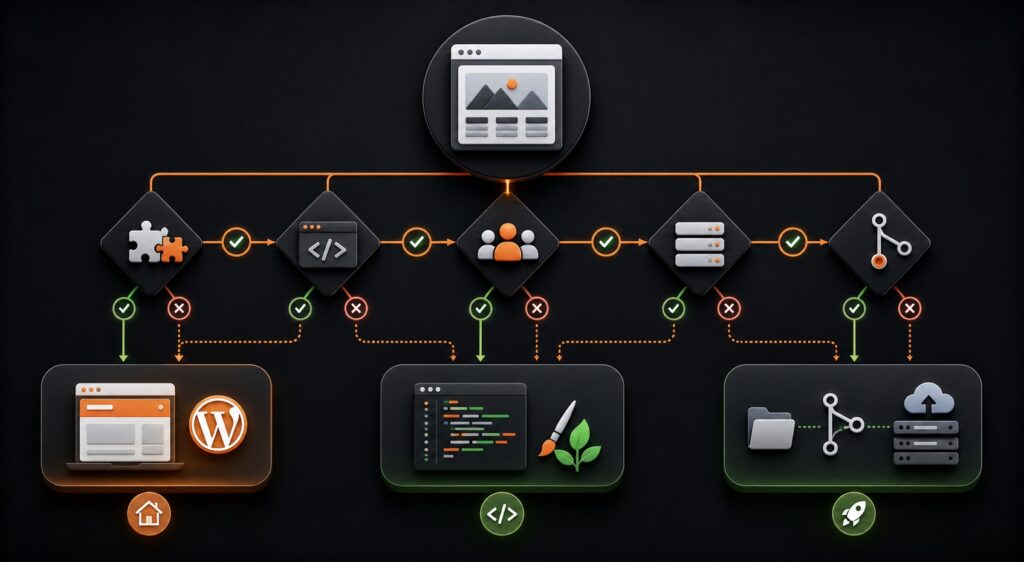
Choose traditional WordPress when speed of setup, broad hosting compatibility, and simple ownership matter most. Choose Sage without Bedrock when you need a modern custom theme but must preserve a standard WordPress project structure. Choose Bedrock + Sage when a development team needs a reproducible, custom, long-term WordPress platform with disciplined deployments.
Conclusion
WordPress, Bedrock, and Sage combine familiar content management with modern project and theme-development practices. WordPress remains the flexible CMS. Bedrock provides a structured foundation for dependencies, configuration, and deployment. Sage gives theme developers Blade templates, Acorn, Vite, Tailwind CSS, and room for selective React components.
The stack is powerful when its structure solves real team and project problems. It is not automatically faster, cheaper, or more suitable than traditional WordPress. The best choice depends on the project’s complexity, hosting environment, development team, maintenance plan, and expected lifespan.
Frequently Asked Questions
Does Bedrock replace WordPress?
No. Bedrock reorganizes and configures a WordPress project. WordPress remains the CMS and application core.
Does Sage require Bedrock?
No. Sage can run in a traditional WordPress installation, although you still need Composer dependencies and a front-end asset build process.
Is Sage a page builder?
No. Sage is a starter theme for developers. It can support Gutenberg blocks, custom fields, and editor-friendly components, but it does not provide a visual drag-and-drop builder by itself.
Can I use Elementor with Bedrock?
Yes. Bedrock controls project structure and dependency management, so it can host Elementor or another WordPress plugin. Sage is optional if the project is primarily built with a page builder.
Is Bedrock + Sage suitable for WooCommerce?
Yes, especially for stores requiring a custom front end and disciplined deployment workflow. WooCommerce complexity, plugin compatibility, checkout testing, and ongoing maintenance still need careful planning.
Is this stack faster than traditional WordPress?
Not automatically. Sage provides modern asset tooling and can support efficient front ends, but performance still depends on theme implementation, plugins, hosting, caching, media, and database health.
Do content editors need to learn Bedrock or Sage?
Usually not. Editors continue working in the WordPress dashboard. Bedrock and Sage primarily affect developers and deployment workflows.
Where should I learn more?
Start with the official Bedrock documentation, Sage documentation, and Acorn documentation.